
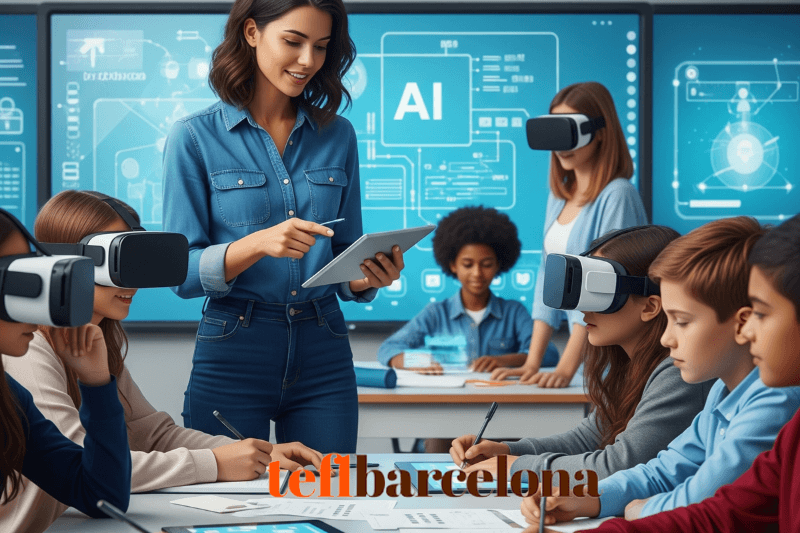
Artificial intelligence is no longer just for scientists and tech companies, it’s becoming part of everyday life, including education. For teachers, this opens the door to new ways of planning lessons, engaging students, and supporting individual learning needs. You don’t have to be a computer expert to use AI effectively. With a little creativity, it can be another tool in your teaching toolkit, one that can save you time and help your students think in new ways.
Here are practical, brand-free ideas for bringing AI into your lessons across subjects, levels, and learning styles.
1. AI as a Brainstorming Partner
Before class, you can use AI to quickly generate lists of ideas, such as:
-
Discussion questions for a literature text
-
Alternative examples to explain a tricky math concept
-
Real-world scenarios to make science topics more relatable
-
Creative angles for art or history projects
This doesn’t replace your own planning, it simply gives you a starting point that you can edit and adapt. In the classroom, you can even demonstrate how to guide AI with better prompts, helping students understand how to refine their own questions and use AI critically.
2. Personalised Learning Materials
Differentiation takes time, but AI can help you adjust a single activity for different learning levels in minutes. For example:
-
A reading passage could be simplified for beginners while keeping the main ideas intact for higher-level students.
-
Instructions can be rephrased for clarity for learners with language barriers.
-
Additional practice questions can be generated for students who need more challenge.
This allows you to meet a range of needs without creating every version from scratch.
3. Language Support and Clearer Explanations
Students often need concepts explained in multiple ways before they click. AI can reword explanations into simpler terms, provide definitions in context, or offer analogies to make abstract ideas more concrete. For language learning, students can use AI to practise writing, get alternative word choices, or receive feedback on sentence structure.
This also works in content subjects, for example, students in a biology class can ask AI to explain photosynthesis in everyday language, then compare that with the textbook explanation.
4. Role-Play and Simulation
AI can act as a “conversation partner” in role-play activities. This works across many subjects:
-
In social studies, AI can take on the role of a historical figure for an interview.
-
In a business class, it can simulate a negotiation or customer service scenario.
-
In a science class, it might respond as a researcher explaining findings from an imaginary experiment.
Role-play supported by AI helps students practise language, empathy, and critical thinking in a safe environment.

5. Collaborative Storytelling
Storytelling can be turned into a back-and-forth creative challenge between students and AI. You might:
-
Have students start a story and ask AI to continue it.
-
Get AI to suggest three possible plot twists and let students choose one.
-
Compare AI’s ending with student-written endings and vote on which fits best.
This method blends creativity with analysis, as students discuss tone, pacing, and coherence.
6. Research Summaries and Comparison
For research projects, AI can produce summaries of complex articles, giving students a quick overview before they dive into deeper reading. You can turn this into a critical thinking activity by asking students to:
-
Compare the AI summary with the original text.
-
Highlight what was left out or changed.
-
Rewrite the summary to improve accuracy.
This teaches both comprehension and digital literacy.
7. Differentiated Question Banks
When preparing for revision or assessment, AI can generate questions at different levels:
-
Basic recall for foundational understanding
-
Application questions requiring use of the concept in a new situation
-
Analytical or evaluative questions for deeper thinking
Students can self-select which questions to tackle or work through them in stages, building confidence step by step.
8. Flipped Classroom Preparation
If you use a flipped learning model, AI can help create short explanations, checklists, or example problems for students to work through before class. This ensures they arrive ready to engage in active learning during lesson time.
For example, before a physics lesson on forces, AI could generate a short, clear text explaining key terms and posing a couple of thinking questions. Class time can then focus on experiments or group problem-solving.
9. Creative Assessments
Traditional tests have their place, but AI makes it easier to design alternative assessments. For instance:
-
Students create a Q&A dialogue with AI on a topic, then annotate where AI’s answers were correct or needed changes.
-
Students collaborate with AI to make a visual project, infographic, or fact sheet, then present it to the class.
-
Students write a reflective piece explaining how they used AI during a project, including its limitations.
These approaches encourage reflection on both the subject matter and the learning process.
10. Support for Teachers’ Own Work
AI isn’t only for student activities — it can make your own workload lighter:
-
Draft lesson plans or unit outlines that you can refine
-
Suggest alternative examples for explaining a concept
-
Generate quick practice questions for a warm-up activity
-
Help rephrase instructions for clarity
By saving time on repetitive tasks, you can put more energy into classroom interaction and feedback.
11. Ethics and Responsible Use
One of the most valuable things you can teach students about AI is how to use it responsibly. This can be built into your lessons:
-
Discuss how AI can make mistakes or produce biased responses
-
Show students how to fact-check information against reliable sources
-
Set clear expectations about when and how AI can be used for assignments
-
Talk about the importance of combining AI’s suggestions with their own thinking
These discussions help students become informed, critical users rather than passive consumers.

12. Project-Based Learning with AI
AI can be a research assistant in larger projects. Examples include:
-
A geography project where students gather background information on a region, then verify it through independent research
-
A science project where AI suggests possible variables to test in an experiment
-
A history project where students get AI to outline key events, then create their own interactive timeline
Here, AI is part of the process, not the final authority.
13. Building Student Independence
When used well, AI can encourage self-directed learning. Students can:
-
Ask for extra practice problems and check their answers
-
Request different explanations until one “clicks”
-
Explore topics beyond the curriculum through guided questioning
Your role is to model how to guide AI effectively and interpret its responses critically.
Bringing It All Together
Integrating AI into lessons doesn’t mean replacing human teaching, it means using a new tool to enhance what you already do well. AI can help you differentiate materials, inspire creativity, and save valuable preparation time, but the real value comes from how you guide students to use it thoughtfully.
Start small. Pick one area, brainstorming, summarising, role-play, and try it out. Observe how students respond and refine your approach. Over time, you’ll find the balance between AI’s efficiency and the irreplaceable human connection you bring to your teaching.
By weaving AI into your lessons with intention, you give students not just subject knowledge, but also the skills to navigate a future where technology will be an everyday partner in learning, work, and creativity.




Leave A Comment